


Chat
Available in the mobile apps only. Talk directly with colleagues or in team conversations, and share photos and documents.
The Maxtime platform
Maxtime brings workforce operations together, from defining staffing needs and building rotas to recording attendance, managing people and preparing approved information for payroll. Connected tools give managers, HR teams and employees a shared working context.
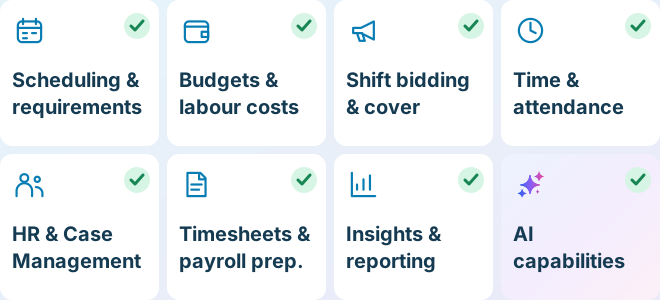
One platform. Connected capabilities.
Each area supports a different part of the working day. They share the people, teams and rules that keep your operation connected.
Define staffing needs, build rotas and review coverage across teams, roles and locations.
Compare scheduled staffing costs with team budgets and understand changes before publication.
Offer available shifts to employees, review their responses and manage cover in one place.
Record clocking activity, connect it with scheduled work and resolve attendance exceptions.
Connect employee records, leave, documents, learning, lifecycle workflows and people cases.
Review calculated time, resolve diagnostics, record adjustments and export eligible timesheets.
Understand workforce information through dashboards, reports, Live Query and data exports.
Share updates and photos across the web and mobile apps, with audiences, comments and reactions to bring colleagues together.
Mobile apps only: talk directly with colleagues or in team conversations, with photos and documents alongside your messages.
Ask for product guidance, explore permitted workforce data and confirm supported tasks in conversation.
Turn historical staffing patterns into a proposed requirements template for the week ahead, ready for review and adjustment.
Generate and compare schedule options from a saved template or forecast requirements, then review the option you want to use.
Everyday workforce tools
Explore employee access, people records and the items managers need to review.
Access your working day, Chat and News Feed from your phone, alongside schedules, attendance and time-off requests.
Review requests, holiday balances and recorded absence alongside workforce planning.
Find employee files, maintain their details and review recorded expiry information.
Keep qualifications, recorded compliance status and relevant dates in view.
Focus on missing punches, holiday requests and the records needing attention.
Coordinate starters, leavers and employment or compliance changes through configured stages.
Keep employee matters organised with ownership, evidence, tasks, meetings and recorded outcomes.
How it comes together
A connected working day gives each team the information it needs for the next step.
Apply staffing requirements and templates, then review coverage and scheduled cost.
Allocate employees or offer available shifts through shift bidding.
Employees see their schedules and record attendance through the configured method.
Managers resolve exceptions and authorise attendance; payroll staff review timecards.
Lock eligible teams and export the configured information for payroll.
Use the Hub, reports and Max AI to explore information and outstanding work.
Maxtime Cloud mobile app
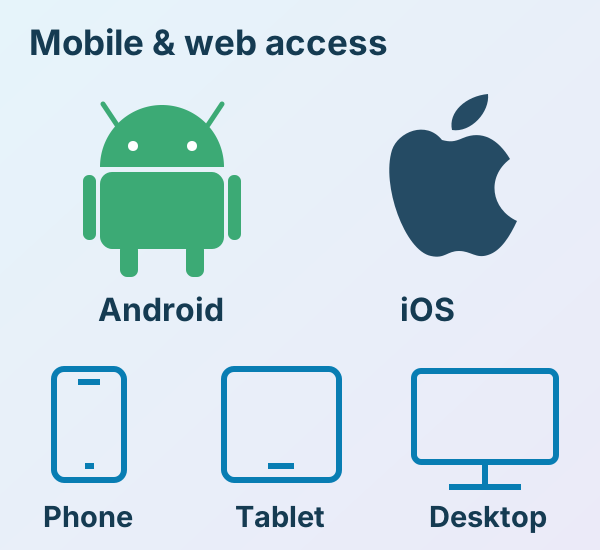
Your working day and your team, together on iPhone, iPad and Android. Check schedules, record attendance, request time off and stay connected with Chat and News Feed, where enabled for your work account.
See your upcoming shifts and workplace, with schedule views suited to the way you plan your week.
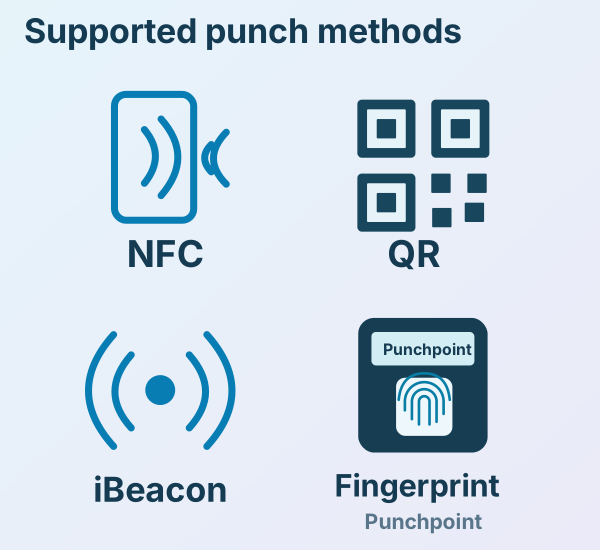
Clock through the method enabled for your workplace and supported by your device.
Submit holiday requests and review time-off information through the enabled employee experience.
Respond to available shift opportunities and receive relevant schedule updates and notifications.
Stay connected with your team
Available in the mobile apps only. Talk directly with colleagues or in team conversations, and share photos and documents.
Available on web and mobile. Share updates and photos with the right audience, with comments and reactions where enabled.
Scan with your phone camera, or choose your store below.
Sign in with your Maxtime Cloud work account. Available features depend on your organisation's setup and permissions.
Payroll preparation & data exchange
Maxtime generates reviewed workforce information for downstream payroll and reporting. Agree the format, codes and data mappings with our team and the system receiving the information.
Export eligible locked timesheets with the agreed pay elements, hours, rates and identifiers.
Validate the sample against your payroll import specification, including the fields and totals your team needs.
Discuss API or bespoke interface requirements with our team so we can confirm the available scope for your systems.
Export and integration scope is agreed for your setup. Statutory payroll calculations and salary payments remain with your payroll system and payment arrangements.
Built for the real world
See Maxtime in action
Bring one of your real scheduling or workforce challenges. We’ll show you how Maxtime would handle it.

